 Continue with Steam
Deadlock Heroes
Hero profiles for  abilities, builds, counters, patch history, and guide links.
 Street Brawl











TierAll
SortWin rate
 01
Abrams
Charges into close combat
0%
WR
0%
PR
0
MCH
F
 02
Apollo
Assassin · Complexity 2
0%
WR
0%
PR
0
MCH
F
 03
Baba
Mystic · Complexity 1
0%
WR
0%
PR
0
MCH
F
 04
Bebop
Hooks an enemy for a knockout combo
0%
WR
0%
PR
0
MCH
F
 05
Billy
Brawler · Complexity 3
0%
WR
0%
PR
0
MCH
F
 06
Calico
Wreaks havoc from the sidelines
0%
WR
0%
PR
0
MCH
F
 07
Celeste
Mystic · Complexity 2
0%
WR
0%
PR
0
MCH
F
 08
Deadman Danny
Marksman · Complexity 2
0%
WR
0%
PR
0
MCH
F
 09
Drifter
Assassin · Complexity 3
0%
WR
0%
PR
0
MCH
F
 10
Dynamo
Locks down the enemy team
0%
WR
0%
PR
0
MCH
F
 11
Graves
Mystic · Complexity 2
0%
WR
0%
PR
0
MCH
F
 12
Grey Talon
Delivers long range skill-shots
0%
WR
0%
PR
0
MCH
F
 13
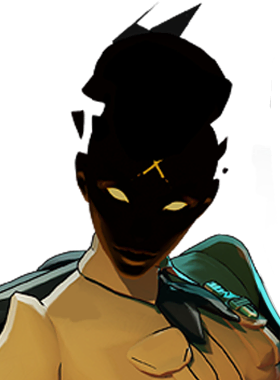
Haze
Sneaks in and sprays bullets
0%
WR
0%
PR
0
MCH
F
 14
Holliday
Bounces about dispensing trick shots
0%
WR
0%
PR
0
MCH
F
 15
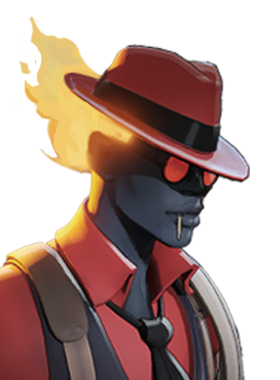
Infernus
Lights up enemies and watches them burn
0%
WR
0%
PR
0
MCH
F
 16
Ivy
Sets up a power duo with a lucky ally
0%
WR
0%
PR
0
MCH
F
 17
Kelvin
Freezes enemies in their tracks
0%
WR
0%
PR
0
MCH
F
 18
Lady Geist
Sacrifices health then drains it back
0%
WR
0%
PR
0
MCH
F
 19
Lash
Dives down to stomp his foes
0%
WR
0%
PR
0
MCH
F
 20
McGinnis
Controls the battle with combat turrets
0%
WR
0%
PR
0
MCH
F
 21
Mina
Mystic · Complexity 3
0%
WR
0%
PR
0
MCH
F
 22
Mirage
Times his shots and catches fleeing targets
0%
WR
0%
PR
0
MCH
F
 23
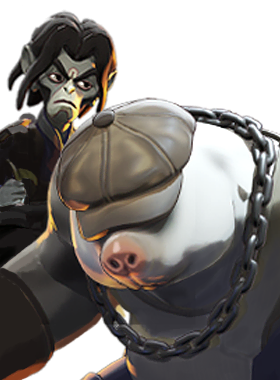
Mo & Krill
Burrows underneath his enemies
0%
WR
0%
PR
0
MCH
F
 24
Nurse Harrow
Complexity 1
0%
WR
0%
PR
0
MCH
F
 25
Paige
Complexity 1
0%
WR
0%
PR
0
MCH
F
 26
Paradox
Manipulates Space and Time
0%
WR
0%
PR
0
MCH
F
 27
Pocket
Infiltrates and disrupts the backline
0%
WR
0%
PR
0
MCH
F
 28
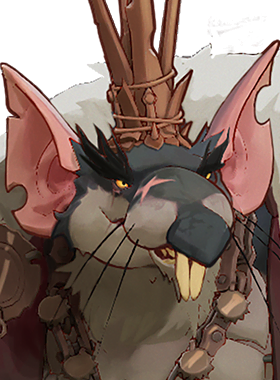
Rat King
Brawler · Complexity 3
0%
WR
0%
PR
0
MCH
F
 29
Rem
Complexity 3
0%
WR
0%
PR
0
MCH
F
 30
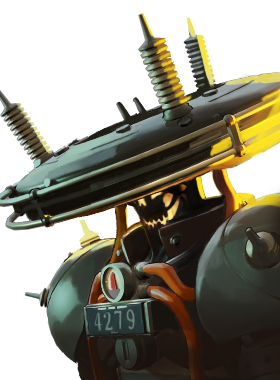
Seven
Electrocutes crowds of enemies
0%
WR
0%
PR
0
MCH
F
 31
Shiv
Bleeds out foes, then goes in for a kill
0%
WR
0%
PR
0
MCH
F
 32
Silver
Brawler · Complexity 1
0%
WR
0%
PR
0
MCH
F
 33
Sinclair
Misdirect and hex enemies
0%
WR
0%
PR
0
MCH
F
 34
Solomon
Mystic · Complexity 1
0%
WR
0%
PR
0
MCH
F
 35
The Doorman
Mystic · Complexity 1
0%
WR
0%
PR
0
MCH
F
 36
Venator
Marksman · Complexity 2
0%
WR
0%
PR
0
MCH
F
 37
Victor
Brawler · Complexity 2
0%
WR
0%
PR
0
MCH
F
 38
Vindicta
Snipes the unsuspecting
0%
WR
0%
PR
0
MCH
F
 39
Violet
Mystic · Complexity 1
0%
WR
0%
PR
0
MCH
F
 40
Viscous
Rolls around deflecting bullets
0%
WR
0%
PR
0
MCH
F
 41
Vyper
Slither in and assassinate enemies
0%
WR
0%
PR
0
MCH
F
 42
Warden
Weakens his enemies and chases them down
0%
WR
0%
PR
0
MCH
F
 43
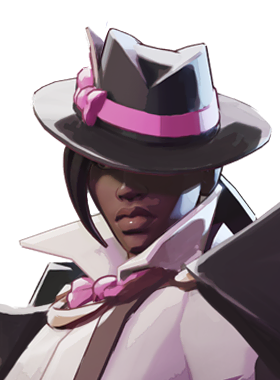
Wraith
Melts isolated targets
0%
WR
0%
PR
0
MCH
F
 44
Yamato
Delivers charged attacks with finesse
0%
WR
0%
PR
0
MCH
Street Brawl hero statistics are not tracked by the current import yet.
Heroes
Browse the hero directory to compare roles and ranked performance, then open a hero profile for more detail. The listing is a snapshot of the site’s data, so check the selected mode, patch and update time before drawing conclusions.
How to use the hero list
Choose Normal or Street Brawl, select a role or tier, and use the patch selector or hero search to narrow the list. Sort by win rate, pick rate, matches or name. Each card shows a hero’s role, complexity, tier, win rate, pick rate and match count. Open a card to explore that hero’s profile.
Read the statistics together
Win rate is the share of recorded matches won; pick rate describes how often a hero was selected. Match count gives context for the sample. A high win rate alone does not explain whether a hero fits your experience or team. In the snapshot collected on October 31, 2026, the page listed 41 heroes and showed  Graves at 57.4% win rate across 594,316 matches under the displayed patch selection. Values change as data is refreshed.
For grades grouped from S to F, use the hero tier list. Explore matchups and hero pairs for a different view of the same roster.
Example: read a hero card
In the October 31 snapshot,  Rat King appeared as a Brawler with complexity 3, a 55.8% win rate, a 4.7% pick rate and 741,857 matches. Those fields answer different questions: role and complexity describe the card, win rate summarizes outcomes, and pick rate and matches show usage and sample context. Compare cards after choosing the same mode and patch. The selected patch name in this snapshot was Shh... This Won’t Hurt a Bit.
Choose a route from the directory
Use a role filter when looking for a type of hero, or search by name when you already have one in mind. A tier filter narrows the roster to a grade, while sorting by matches can help you inspect how much data sits behind a result. Reset the filters to return to the broader list. The list is not a substitute for reading the hero’s abilities and current build details; follow the hero card for more information.