 Continue with Steam
Maps
About this page Explore The Cursed Apple with the tactical board and map reference. The interface labels are currently in Russian; the translations below help you use the visible controls. Some layers are marked «нет координат» (no coordinates), so a…
Maps
Explore The Cursed Apple with the tactical board and map reference. The interface labels are currently in Russian; the translations below help you use the visible controls. Some layers are marked «нет координат» (no coordinates), so a layer name does not guarantee that its points are plotted.
Use the tactical board
Drag the map to move it and use the mouse wheel to zoom around the pointer. «Слои» means Layers; «Показать все» shows all and «По умолчанию» restores the default selection. Hide categories to reduce clutter without deleting objects or changing the zoom.
The toolbar includes «Рука» (hand), «Выделение» (select), «Кисть» (brush), «Линия» (line), «Стрелка» (arrow), rectangle, ellipse, hero, text and eraser. Choose color and thickness for annotations. «Добавить героя» opens the hero selector; «Союзник» and «Противник» mark ally and opponent. Use undo or Ctrl/Cmd+Z while the editor has focus. Game layers are protected from the eraser; your markers, drawings and labels can be hidden separately.
Your diagram is temporary and remains only for the current opening of the page. Treat drawings as session work before closing the tab.
Read layers and floors
The legend separates terrain and streets,  tunnels, lanes, neutral camps and other categories. The page labels York yellow, Broadway blue and Park green; it also uses Park / Greenwich and notes that names can vary by version. Use the current client's color and labels when navigating.
A flat map can put objects from different levels close together. Check whether a point is marked street, inside, roof or underground before choosing an entrance. Use «Показать на карте» (show on map) where available to locate a described point. The 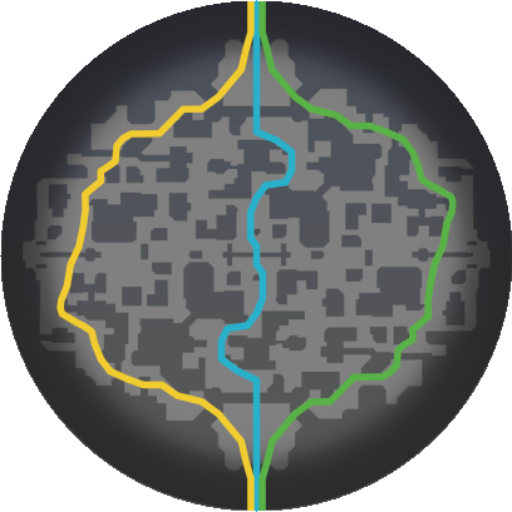 minimap reflects information available to your team and does not replace checking visibility.
Lanes and defenses
The reference describes three lanes connecting the bases, with opposing 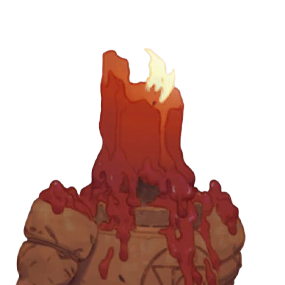 trooper waves moving along them. A wave can create space to move, while a
 zipline helps a player return to their side. Consider the wave, nearby opponents and an exit before attacking a structure.
The page presents the path through a lane as Guardian,  Walker,
 Base Guardians, Shrines and finally the
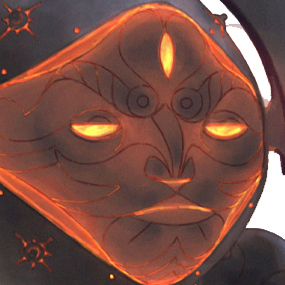 Patron. The stage and its conditions matter: do not assume a deeper objective is available before the preceding defenses are dealt with.
Camps and resources
Neutral camps sit away from the main lanes and are available to both teams. The guide distinguishes small, medium and large camps by the time and risk involved. Compare the reward with the lane or team action you would leave behind, and check the floor and entrance.
Boxes can provide an additional resource;  golden statues can provide a permanent stat bonus, although the specific effect is not guaranteed.
 Sinner's Sacrifice is a separate object that trades
 health and time for a reward. Check vision and a retreat route before interacting.
Shared objectives
Mid-Boss
The reference places  Mid-Boss in the central underground area. Defeating the boss does not automatically secure the reward: the team must claim the
 Rejuvenator, and opponents can contest that step. Check lanes and approaches, assign vision and plan an exit before starting.
Soul Urn and Unstable Rift
The  Soul Urn creates a route between pickup and delivery areas. Consider the lanes, available transitions and visible opponents before assigning a carrier and escort. Active areas depend on the current map data.
The page treats  Unstable Rift as a separate contested event, not a variant of the Urn. Its active areas and cycle are provisional until checked against the selected map version.
Routes, base and timing
Shops, paired teleports, stairs and tunnels can change a route. Juke Rooms are small dead-end shelters with one entrance: they can hide a player but can also become a trap. At base, plan the next route from the respawn area and shop while considering the defenses inside the base.
A first spawn, a fixed match-clock cycle, a timer after a clear and a conditional event are different kinds of timing. This reference does not publish a numeric timing table because sources disagree; verify a value against the game version and date before using it.
Plan a route
For a rotation, consider your wave, the connecting route and an exit. For resources, choose the main destination first and add a nearby camp or boxes only if the detour is worthwhile. For a shared objective, consider lanes, approaches and a backup route with your team. These are checks to make, not a single correct route for every match.