 Continue with Steam








































SortPopularity
TagSpirit














LanguageSimplified Chinese
PatchRanked – Beta Season 2
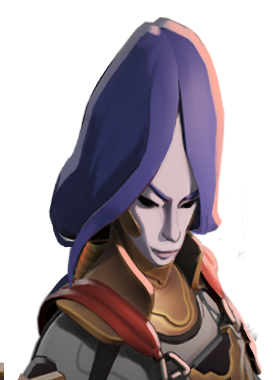 Yamato
小宇ap大和
2,080Weekly
39 items
 Mina
自用米娜平滑出装 可C可功能
1,643Weekly
71 items
 Paige
AP龙火烧谁谁死
1,598Weekly
31 items
 Lady Geist
主1技能 AP流-劣势丢丢怪/强势贴脸吸-适合新手宝宝
1,442Weekly
43 items
 Shiv
小宇shiv
1,427Weekly
36 items
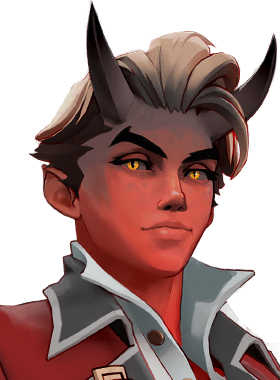 Apollo
小宇Apollo
1,425Weekly
38 items
 Warden
小宇Warden
1,247Weekly
37 items
 Victor
[《跑路了,兄弟》 新版本大招流法c刷了赢维神]——手把手教你玩AP维克托
1,239Weekly
39 items
 Seven
小宇Seven
1,202Weekly
41 items
 Graves
[ap骷髅女孩,简单game,点出大招对面一塔自动爆炸]的副本
1,190Weekly
50 items
 Mirage
从左往右出 团战放金甲虫打两下就赢了
1,176Weekly
41 items
 Infernus
小宇火男
1,072Weekly
39 items
Seven
主3老七,经济压制,追着人点
1,031Weekly
41 items
Mirage
小宇Mirage
901Weekly
37 items
 Kelvin
【祈inorynana】开尔文有减益有续航的游走输出装(全注释)
869Weekly
44 items
 Paradox
不朽悖论!灰风绝活丝滑大雷悖论
820Weekly
66 items
Builds
Browse builds by hero and use the available filters to find a starting point for an item path. Each build card provides context about its author, version, date, language, tags and weekly favorites; open a build to inspect its details.
Find a build
Choose All, In-Game or Community, select a hero, and use the tag, language and patch controls to narrow the library. Search for a hero or build and sort by popularity or date. The available tags describe themes such as  damage,
 healing, mobility and player experience.
Read a build card
Check the hero and language first, then the version and date. Weekly favorites indicate recent popularity in the site’s data; they do not establish that a build is correct for every patch or match. Open the build to inspect its item path, ability order and any notes before adapting it.
The October 31, 2026 snapshot listed 1,318 builds under the displayed patch selection. The number changes as the library is refreshed. For shop data, use item statistics; hero profiles provide more context on the hero you want to play.
Example: reading popularity and version
In the October 31, 2026 snapshot, BIG GORDO AP appeared as a  Dynamo build with 23,145 weekly favorites, Brazilian Portuguese, version V1 and 32 items. A
 Mina card displayed Russian, version V56 and 43 items. These are properties of individual cards in that snapshot, not ratings of their quality. A high weekly count can help you find a popular example; the version and date help you decide whether to examine it more closely.
Choose the right filters
The language control concerns the build’s language. Tags include Weapon, Spirit, Vitality, Damage, Healing, Mobility and experience-level labels. The snapshot offered sorting by Popularity or Date and a patch selector showing Shh... This Won’t Hurt a Bit. Use search if you know a hero or build name, and widen the filters if the combination returns too few choices.
A build card can list many items; that count does not mean they must all be bought in one match. Open the build to understand its item sections, intended order and ability progression, then compare item effects with the situation you face. Changes to the game or a build may make a previously popular path less suitable.